KeyRing vs Stessa
The all-in-one alternative to Stessa for owners with several companies
Run every company, repair and vendor from one app, with KeyRing AI and set team roles on every plan.
- Every company on every plan, each with its own payout bank
- KeyRing AI answers from your own records
- Vendors quote and bill from their own login
Prices and features as of , from each product's own public pages. See the sources.
KeyRing and Stessa, feature by feature
The rows KeyRing wins come first. Stessa's column quotes its public pages, and the small numbers point to the source for each fact. "Not published" means we could not find it on Stessa's public pages.
- KeyRing advantageKeyRing has it on every plan
- Yes
- Partly, or on some plans
- Coming soon
- Not published
| Feature |  | Stessa |
|---|---|---|
| KeyRing AI assistant | KeyRing advantage Yes: KeyRing AI on every plan KeyRing AI on every plan: answers from your own records, and drafted changes that save only when you tap Confirm. | Not published |
| Several companies | KeyRing advantage Yes: Every company, every plan Every plan. One login for every company, each with its own payout bank for rent. | Partly, or on some plans: Portfolios, unlimited on Pro Properties are grouped into portfolios: one on Essentials and Manage, unlimited on Pro.[1] |
| Vendor portal | KeyRing advantage Yes: Vendors get their own login Vendors get their own login, on the web or the app, to receive assigned jobs and send estimates, change orders and bills. Each one lands on the job it belongs to. | Partly, or on some plans: Vendor scheduling Owners can schedule vendors on maintenance jobs. A vendor login is not published.[2] |
| Repair estimate approvals | KeyRing advantage Yes: Approve estimates in one tap A tenant reports a repair, the vendor sends an estimate from their own login, and you approve it in one tap. Every step stays in one thread. | Not published |
| Team roles | KeyRing advantage Yes: Seven set roles, every plan Owner, co-owner, property manager, accountant (read only), maintenance staff, vendor and tenant roles, on every plan. | Partly, or on some plans: Shared account access Shared account access is listed in the plan comparison. Role types are not published.[1] |
| Support | KeyRing advantage Yes: Contact KeyRing supportPhone and email, every plan Phone and email support on every plan: call (203) 541-0228 or email support@keyringpm.com. A person answers. | Partly, or on some plans: Phone support on Pro Basic support on Essentials, priority chat support on Manage, and priority phone support on Pro.[1] |
| Mobile app and web | Yes: iPhone, Android and web iPhone, Android and the web. | Yes: iOS, Android and web iOS and Android apps and a web app.[2] |
| Maintenance requests | Yes: With your vendors Tenants report repairs from their phone, vendors send estimates and bills from their own login, and you approve in one tap. | |
| Bank feeds and bookkeeping | Yes: Plaid bank feed Connect your banks through Plaid. KeyRing suggests where each transaction belongs and learns from the ones you confirm. | |
| Online rent collection | Yes: Bank or card Tenants pay by bank or card through Stripe, from the app or any browser. | |
| Price | From $29 a month, every feature included From $29 a month (Starter, up to 2 units), priced by rental units. Every feature is included on every plan. Annual billing is 10 times the monthly price. | Free to $35 a month Essentials is free. Manage is $12 a month paid annually or $15 paid monthly. Pro is $28 a month paid annually or $35 paid monthly.[1] |
Why owners switch to KeyRing
Everything below comes with every KeyRing plan.
Every company on every plan
Each company keeps its own EIN, documents and payout bank for rent, under one login, whatever plan you choose.
Stessa: One portfolio on Essentials and Manage, unlimited on Pro.[1]
KeyRing AI, built in
Ask about rent, leases, deposits or repairs and get answers from your own records. Nothing is saved until you tap Confirm.
Stessa: Not published
Repairs your vendors run with you
Vendors send estimates, change orders and bills from their own login, and you approve in one tap.
Stessa: Owners can schedule vendors on maintenance jobs. A vendor login is not published.[2]
Your whole team, with set roles
Co-owner, property manager, read-only accountant, maintenance staff, vendor and tenant logins on every plan.
Stessa: Shared account access. Role types are not published.[1]
See KeyRing at work
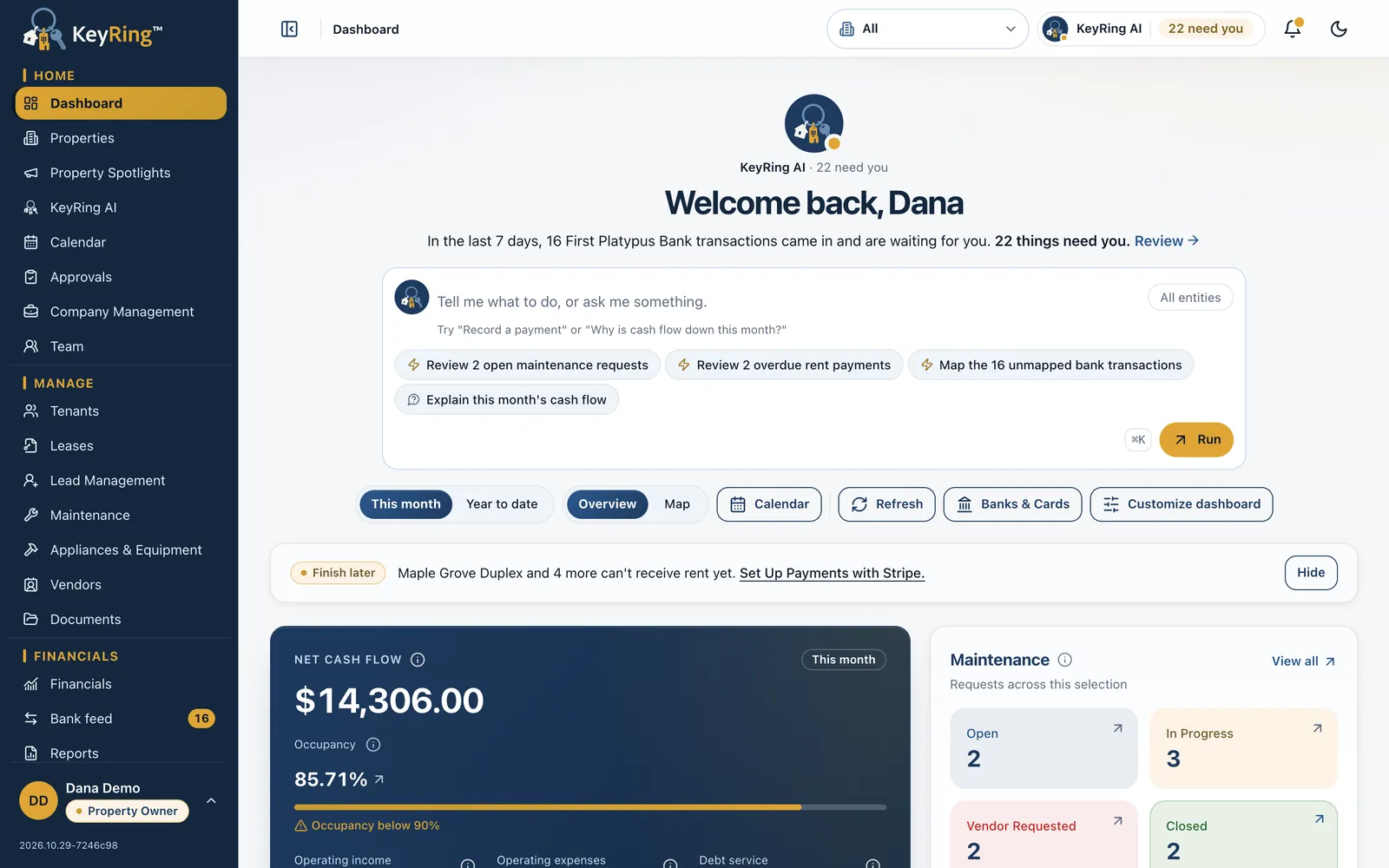
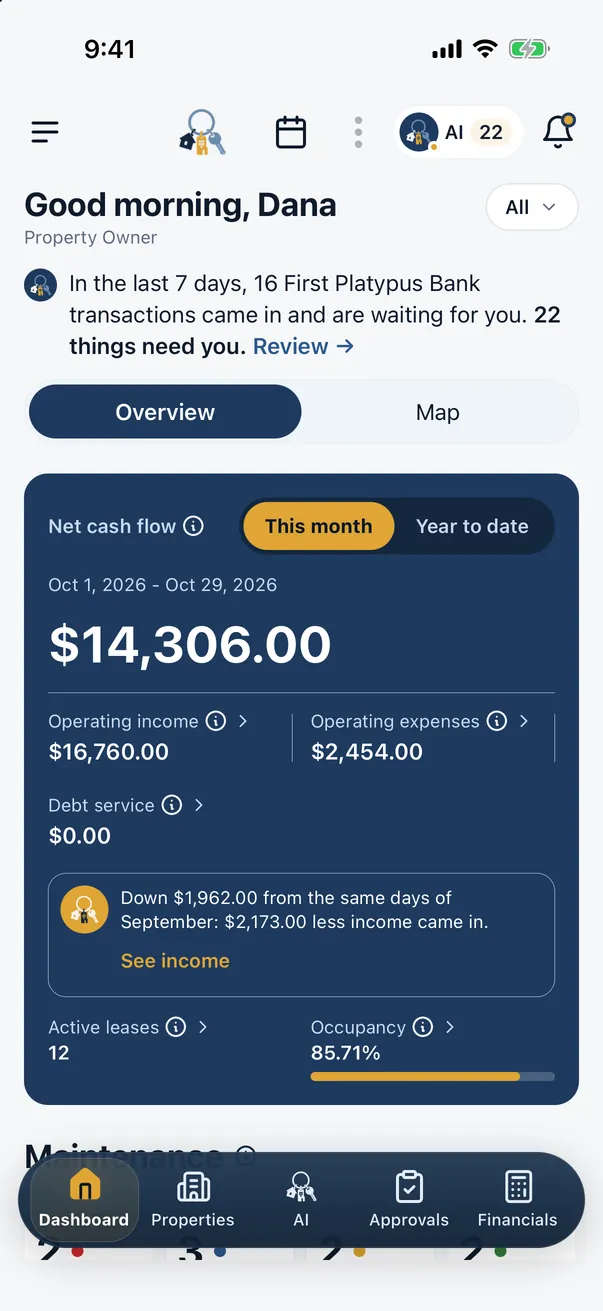
Books, rent, repairs and your team in one app. Here is KeyRing at work, shown with demo data.
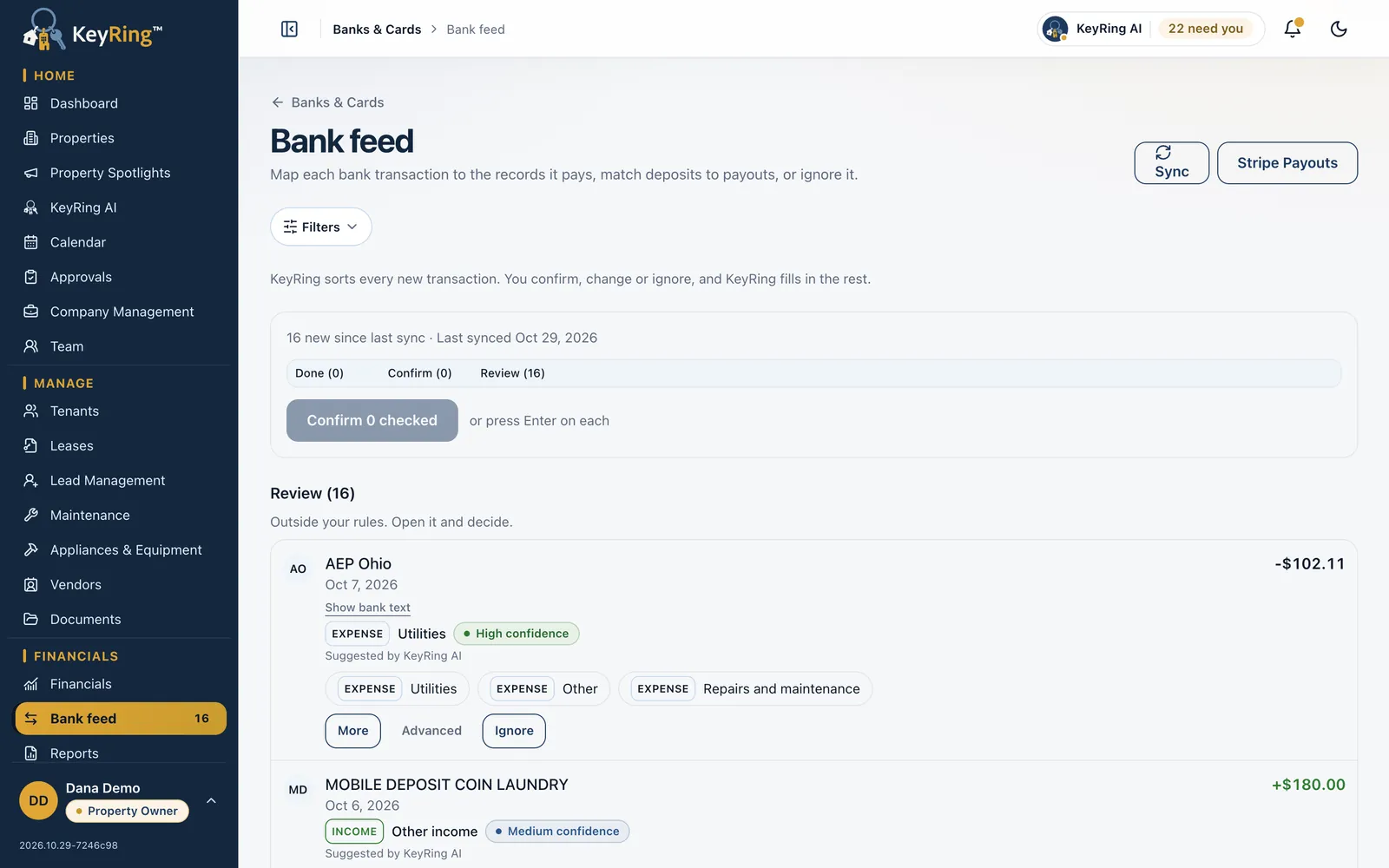
Bookkeeping from your bank feed
Connect your banks through Plaid. KeyRing suggests where each transaction belongs and learns from the ones you confirm.
Learn more: Bookkeeping from your bank feed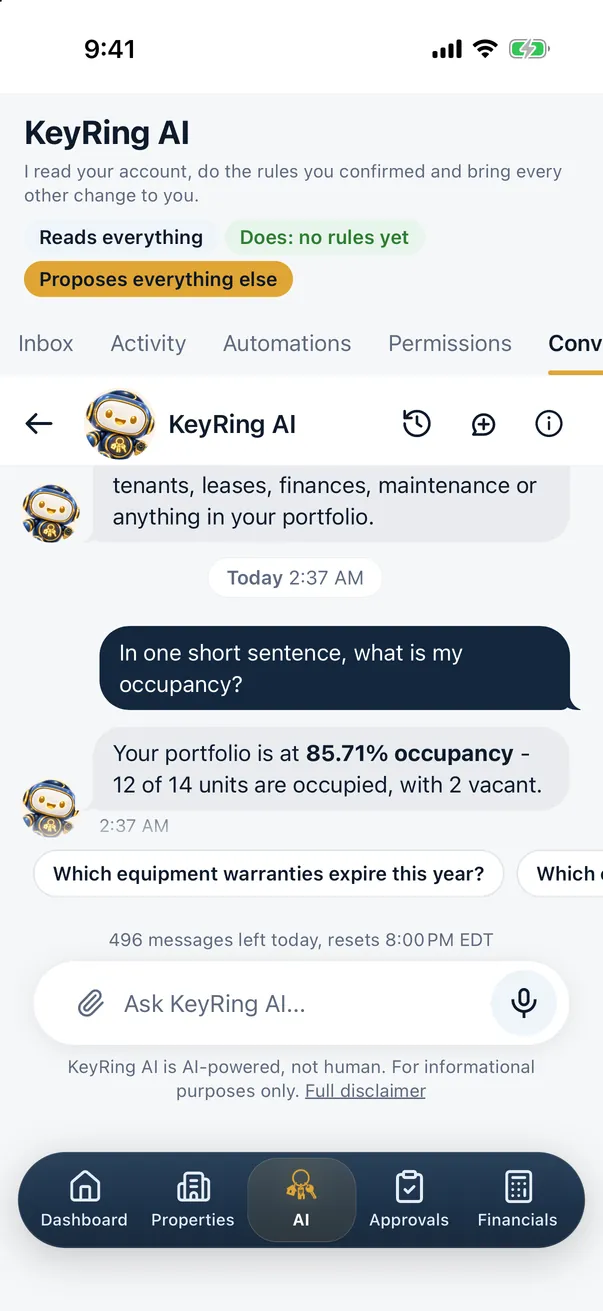
KeyRing AI on every plan
Ask about rent, leases, deposits or repairs and get answers from your own records. Nothing is saved until you tap Confirm.
Learn more: KeyRing AI on every plan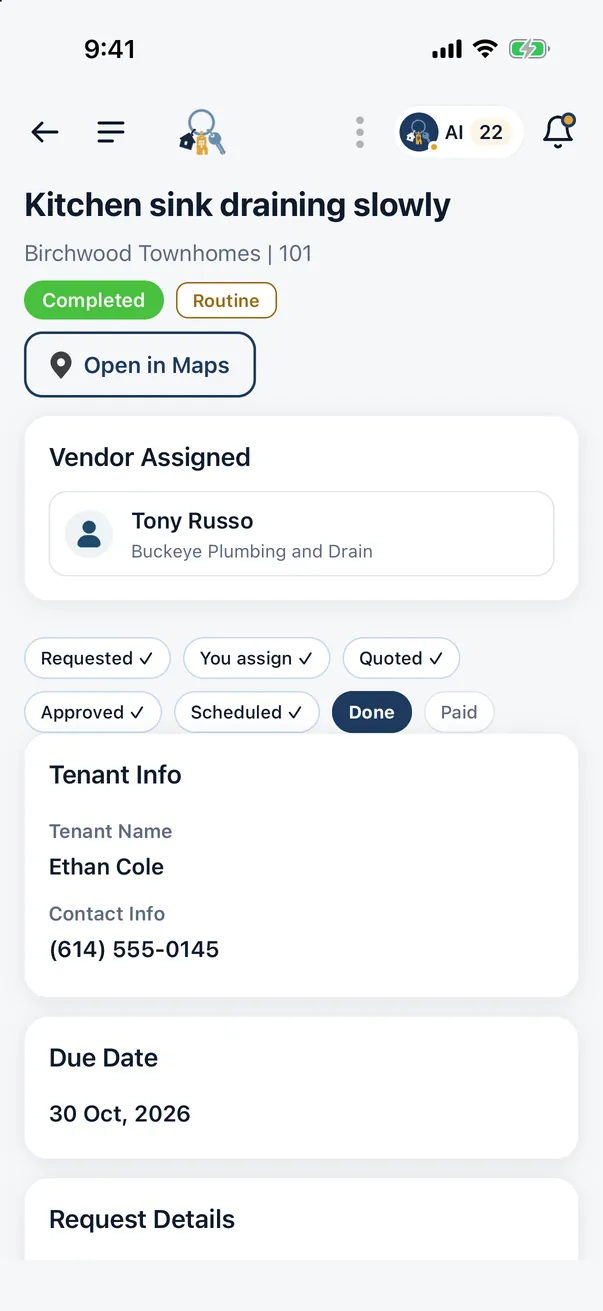
Maintenance with your vendors
A tenant reports a repair, the vendor quotes from their own login, and you approve in one tap.
Learn more: Maintenance with your vendors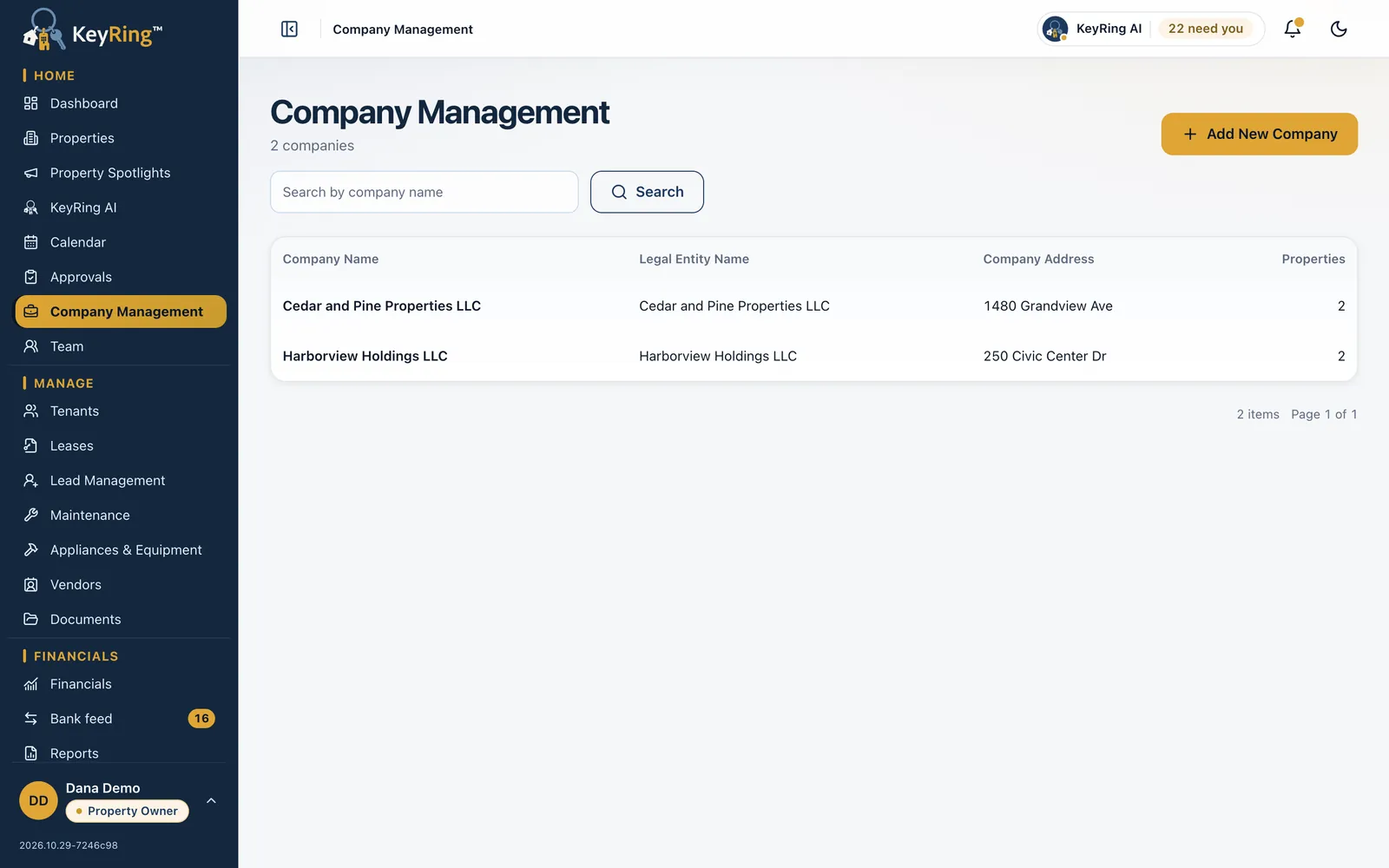
Every company in one login
Each company keeps its own properties, documents and payout bank for rent, on every plan.
Learn more: Every company in one login
Every feature on every plan
KeyRing is priced by rental units, and every plan includes every feature: KeyRing AI, several companies, vendors and team roles. Stessa's plans are from its own pricing page.
Starter
$29 a month
Up to 2 units
5-Key
$59 a month
Up to 5 units
10-Key
$99 a month
10 units included, $2 a month per additional unit up to 59
Universal
$199 a month
Up to 100 units
Above 100 units, a Custom quote. KeyRing pricing
Essentials
Free[1]
Unlimited properties, automatic bank feeds, basic reports, online rent collection
Manage
$12 a month paid annually, $15 paid monthly[1]
Adds the Schedule E report, 1 e-signature a month and 60+ legal forms
Pro
$28 a month paid annually, $35 paid monthly[1]
Adds unlimited portfolios, all advanced reports, budgeting and 7 e-signatures a month
From Stessa's own pricing page, as of October 29, 2026.
Switching from Stessa is easy
Move from Stessa to KeyRing in three steps and keep your history.
Free spreadsheet import
Bring your properties in from a spreadsheet when you set up, at no extra cost.
14-day free trial
Every feature on your first subscription, so you can set everything up before you change a thing.
Help moving your data
Our team helps new customers move their data into KeyRing. Tell us where you are coming from.
Contact KeyRing support
- 1
Export from Stessa
Its plan table lists full data export on every plan. Keep past reports and Schedule E figures with your tax files.
- 2
Set up KeyRing
Start your 14-day trial. Import your properties from a spreadsheet or ask our team to help, add each company with its EIN and payout bank, and connect your banks through Plaid.
- 3
Move rent and your team
Invite tenants to pay in KeyRing, add your vendors and give each person a role. Change your Stessa plan once a full rent cycle has gone through KeyRing.
Frequently asked questions
How much does Stessa cost compared with KeyRing?
As of October 29, 2026, Stessa's Essentials plan is free, Manage is $12 a month paid annually or $15 paid monthly, and Pro is $28 a month paid annually or $35 paid monthly, with unlimited properties on each. KeyRing is priced by rental units, from $29 a month for Starter (up to 2 units), with every feature on every plan.
Do Stessa and KeyRing both connect to my bank?
Yes. Stessa lists automatic bank feeds on every plan and also offers its own bank accounts through Thread Bank. KeyRing connects the accounts you already use through Plaid and suggests where each transaction belongs.
Can I manage several companies in each?
Stessa groups properties into portfolios: one on Essentials and Manage, unlimited on Pro. KeyRing includes multiple companies on every plan, each with its own EIN, documents and payout bank for rent.
How are leases handled?
Stessa drafts state-specific leases and sends them for e-signature, with e-signature limits that depend on the plan. In KeyRing you upload each signed lease and keep it with its property and tenant, and KeyRing reminds you and the tenant 30 days before it ends. E-signature in KeyRing is coming soon.
Can I screen applicants in each?
Yes. Stessa lists tenant applications and RentPrep screening, from $29 a report. In KeyRing, owners and property managers open tenant screening (via TransUnion SmartMove) from Lead Management, on mobile or in the web portal.
What do tenants pay to pay rent online?
Stessa's rent collection page names a no-fee ACH option for property owners and does not publish card fees. Tenants paying rent through KeyRing pay a 0.5% KeyRing platform fee plus Stripe's processing charges, shown before they pay. Rent you record by hand carries no platform fee.
Will KeyRing help me move from Stessa?
Yes. Our team helps new customers move their data, and you can import your properties from a spreadsheet at no extra cost. Start your 14-day free trial, then contact KeyRing support to plan the move.
Can I try KeyRing before I switch?
Yes. Your first KeyRing subscription starts with a 14-day free trial with every feature, so you can add your companies and connect a bank before you change anything in Stessa.
Sources
Stessa's facts come from these public pages, read on October 29, 2026. Prices and features change, so check Stessa's current pages before you decide. KeyRing's facts come from Pricing, Features and KeyRing AI. The screenshots show KeyRing with demo data.
- Stessa pricing: https://www.stessa.com/pricing/
- Stessa home page: https://www.stessa.com/
- Stessa accounting: https://www.stessa.com/accounting/
- Stessa rent collection: https://www.stessa.com/rent-collection/
- Stessa leasing and screening: https://www.stessa.com/leasing/
- Stessa help center: maintenance: https://support.stessa.com/en/articles/11739024-stessa-maintenance
Stessa is a trademark of its owner and is named here only to identify the product. KeyRing is not affiliated with, sponsored by or endorsed by Stessa.
Related calculators
From the blog
- What is Schedule E? Rental income and expenses, line by lineSchedule E is the IRS form where you report rental income and expenses. See what each line covers, a worked single-family example and where the total goes.
- Chart of accounts for rental property (with a free template)What a chart of accounts is, how to set one up for rental property with Schedule E in mind, a worked duplex example and a free CSV template.
- Rent ledger vs tenant ledger: what to track and whyA tenant ledger tracks one tenant's charges, payments and balance. A rent ledger tracks rent across a property. See examples and a free template.
Bring every company into one app
Import your properties, connect your banks through Plaid and invite your first tenant, with our team on hand to help. Your first subscription starts with a 14-day free trial.
Already a customer? Log in